

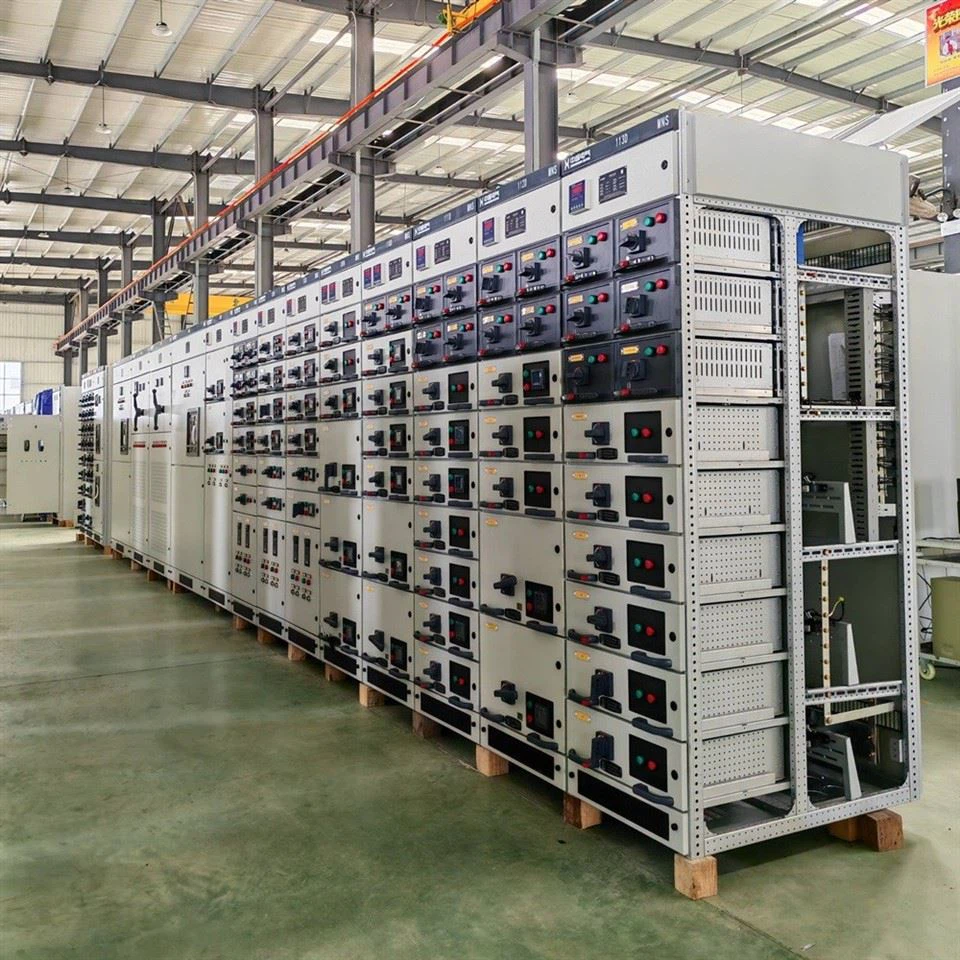
Hey there! As a supplier of Industrial Control Cabinets, I often get asked about how to install a wireless communication module in these cabinets. It's a pretty common question, especially as more and more industries are looking to go wireless for better connectivity and flexibility. So, I thought I'd share my experiences and some tips on this topic.

Why Install a Wireless Communication Module?
Before we dive into the installation process, let's quickly talk about why you might want to install a wireless communication module in your industrial control cabinet. Well, the main advantage is the flexibility it offers. With a wireless module, you can connect your cabinet to other devices or systems without the need for a physical wired connection. This can be a game-changer in situations where running cables is difficult or expensive, like in large industrial facilities or outdoor environments.
Another benefit is the ease of scalability. If you need to add more devices to your network in the future, it's much easier to do so with a wireless setup. You don't have to worry about running new cables or dealing with cable management issues.
Choosing the Right Wireless Communication Module
The first step in the installation process is choosing the right wireless communication module for your needs. There are several factors to consider here, such as the type of wireless technology you want to use (e.g., Wi-Fi, Bluetooth, Zigbee), the range of the module, the data transfer rate, and the power consumption.
For most industrial applications, Wi-Fi is a popular choice because it offers high-speed data transfer and a relatively long range. However, if you need a more low-power solution for applications like sensor networks, Zigbee or Bluetooth might be a better option.
It's also important to make sure that the module you choose is compatible with your industrial control cabinet and the other devices in your network. Check the specifications of the module and the cabinet to ensure that they can work together seamlessly.
Preparing for Installation
Once you've chosen the right wireless communication module, it's time to prepare for the installation. Here are some steps you should take:
- Read the Manual: This might seem obvious, but it's important to read the installation manual that comes with the wireless communication module. The manual will provide you with detailed instructions on how to install the module, including any special requirements or precautions.
- Gather the Tools: You'll need a few tools to install the wireless communication module, such as a screwdriver, wire strippers, and a soldering iron (if required). Make sure you have all the necessary tools before you start the installation.
- Power Off the Cabinet: Before you start working on the cabinet, make sure to power it off to avoid any electrical accidents. This is especially important if you're working with live wires.
- Choose the Installation Location: The location where you install the wireless communication module can have a big impact on its performance. Choose a location that is away from any sources of interference, such as motors or other electronic devices. It's also a good idea to install the module in a place where it can have a clear line of sight to the other devices in your network.
Installing the Wireless Communication Module
Now that you've prepared for the installation, it's time to actually install the wireless communication module. Here's a general overview of the installation process:
- Mount the Module: Use the screws or mounting brackets provided with the module to mount it inside the industrial control cabinet. Make sure the module is securely mounted and that it is not blocking any other components or access points in the cabinet.
- Connect the Wires: Depending on the type of wireless communication module you're using, you'll need to connect the appropriate wires to it. This might include power wires, data wires, and antenna wires. Make sure to follow the instructions in the installation manual carefully when connecting the wires.
- Configure the Module: Once the module is installed and the wires are connected, you'll need to configure it to work with your network. This might involve setting up the Wi-Fi network, entering the security credentials, and configuring the data transfer settings. Again, refer to the installation manual for detailed instructions on how to configure the module.
- Test the Connection: After you've configured the module, it's important to test the connection to make sure it's working properly. You can do this by connecting a device to the wireless network and trying to transfer some data. If the connection is not working, double-check the configuration settings and the wiring to make sure everything is correct.
Cable Management
One important aspect of installing a wireless communication module in an industrial control cabinet is cable management. Even though you're using a wireless module, there will still be some wires that need to be connected to it, and it's important to keep these wires organized and tidy.
Here are some tips for cable management:
- Use Cable Ties: Cable ties are a simple and effective way to keep your wires organized. Use them to bundle the wires together and secure them to the cabinet or other components.
- Label the Wires: Labeling the wires can make it easier to identify them later on if you need to make any changes or repairs. Use a label maker or some tape to label the wires with their function or destination.
- Use Wire Mesh Cable Trays: Wire Mesh Cable Trays are a great option for cable management in industrial control cabinets. They provide a sturdy and flexible way to route the wires and keep them organized.
Safety Considerations
When installing a wireless communication module in an industrial control cabinet, it's important to follow all the necessary safety precautions. Here are some safety tips to keep in mind:
- Wear Protective Gear: Make sure to wear appropriate protective gear, such as safety glasses and gloves, when working on the cabinet. This will help protect you from any potential hazards, such as electrical shocks or sharp edges.
- Follow Electrical Codes: Make sure to follow all the relevant electrical codes and regulations when installing the wireless communication module. This will help ensure that the installation is safe and compliant.
- Test the System: Before you put the industrial control cabinet back into operation, make sure to test the system to make sure everything is working properly. This will help prevent any potential problems or accidents.
Troubleshooting
If you encounter any problems during the installation or operation of the wireless communication module, here are some troubleshooting tips:
- Check the Connections: Make sure all the wires are properly connected and that there are no loose or damaged connections.
- Check the Configuration: Double-check the configuration settings of the wireless communication module to make sure they are correct.
- Check for Interference: If you're experiencing problems with the wireless connection, check for any sources of interference, such as motors or other electronic devices. Try moving the module or the other devices to a different location to see if that helps.
Conclusion
Installing a wireless communication module in an industrial control cabinet can be a great way to improve the connectivity and flexibility of your industrial system. By following the steps outlined in this blog post, you should be able to choose the right module, prepare for the installation, install the module correctly, and troubleshoot any problems that you might encounter.
If you're in the market for an industrial control cabinet or need more information about wireless communication modules, feel free to reach out. We offer a wide range of Server Control Cabinets and Imitation Rittal Cabinets that are designed to meet the needs of various industrial applications. We're always happy to help you find the right solution for your business.
References
- Wireless Communication Module Installation Manuals
- Industrial Electrical Codes and Regulations
- Industry Best Practices for Wireless Communication in Industrial Control Systems


